
Skillshare Review: Is It The Right Platform For You?
Skillshare was founded in New York in 2010 by two veterans of the digital world Michael Karnjanaprakorn and Malcolm Ong. It offers more than 35,000+ courses (or as they say classes) and 5 million users, it is one of the most popular elearning platforms out there and focuses on classes for creative professionals and entrepreneurs.
If you don’t have time to read our detailed review, then please check out of video below to give you a summary of what Skillshare is all about.
If you are ready to read this comprehensive and honest Skillshare review, let’s get stuck in.
Skillshare Review Verdict
Skillshare is a good elearning platform, even if it doesn’t have as many classes as others (e.g. Udemy), it provides a lot of resources for creative people and entrepreneurs.
It’s also an affordable solution as it can be as cheap as $8.25 a month if you decide to go for an annual subscription (be aware that you’ll need to pay the full amount in advance).
There is also a 1-month free trial for the Premium plan which gives you unlimited access to thousands of classes and you can cancel at anytime within that 1-month period if you decide not to continue.
Who Is Skillshare For?
This elearning platform is aimed for professionals that want to develop new skills or improve existing ones. Since it’s focused on creative workers (e.g. designers, chefs, artists, etc.) and entrepreneurs (e.g. marketers or SEOs), freelancers or small businesses are the ones that will enjoy Skillshare the most.
However, if you are after some sort of formal education (or certificate), Skillshare won’t be a good match for you. For these cases, I would suggest you check Coursera out.
Skillshare for Teams
Skillshare doesn’t only offer classes for individuals, it also offers plans for businesses and teams. It offers three different team plans depending on the size of your team or business.
- Starter for teams of 5-49 users
- Enterprise for teams of 20+ users
- Revive for teams of 50+ users

Skillshare for Teams
The Starter, Enterprise and Revive plans include unlimited access to Skillshare’s 35,000+ courses, Skillshare Originals, Class Lists by topic or skill, mobile use and watching offline, teacher and peer feedback and tech support. Naturally, the Enterprise plan offers some more advanced features like engagement and analytic reports, integrations and API and curated learning paths.
If you are a creative business and looking to upskill your team then Skillshare for Teams could be your answer. You can check it out here
Skillshare Community
Skillshare is an online learning community that believes in the importance of its members being able to come together to find inspiration, connect with one another and take the next steps into their creative journey.
Groups
Collaboration is a key part of the Skillshare platform. It has tamed up with some Skillshare teachers to bring you Groups. The Groups are broken up into 4 categories Creative, Technology, Business and Lifestyle.
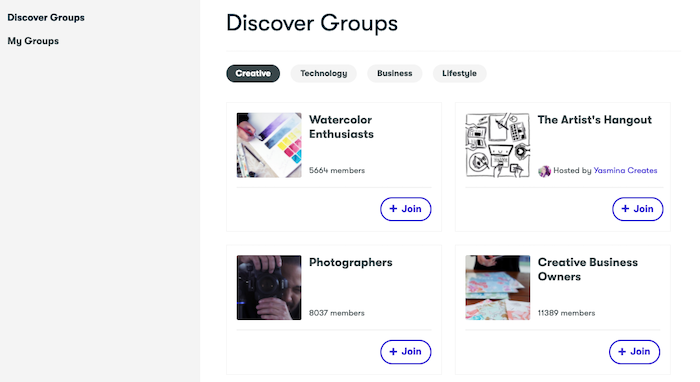
The Groups are an opportunity for you to connect with other creators, share your work, and take your skills to the next level. By joining a Group, you’ll be able to connect with other Skillshare members in your industry, by asking questions, sharing your work, giving and receiving feedback or simply discuss your interests. If you have a free account you can join groups, but members with a Premium paid account can post in them.
Student Projects
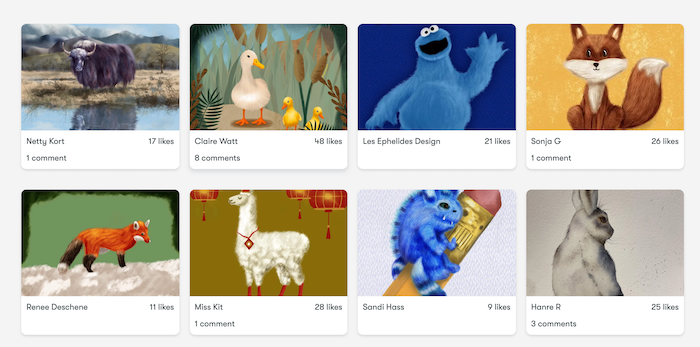
Skillshare members can post the work they have been creating which can then be commented on and liked by other Skillshare members. It’s an ideal way to connect with others and share your work in an inspiring and creative community.
If you are someone who is looking for an online learning platform with a focus on community and connecting with members then Skillshare is the platform for you.
> Try Skillshare for free
How Much Is Skillshare?
Skillshare prices are simple, you can either have a free account (with limited classes and features) or a premium account that will give you access to over 35,000+ classes and the ability to watch the classes offline.
- Skillshare Monthly: You’ll pay month by month a subscription fee of $19. You can cancel it at any time.
- Skillshare Yearly: Pay $99 a year for your annual Skillshare membership, this comes out at $8.25 per month, a big discount compared to the monthly deal.
Skillshare Premium Free Trial
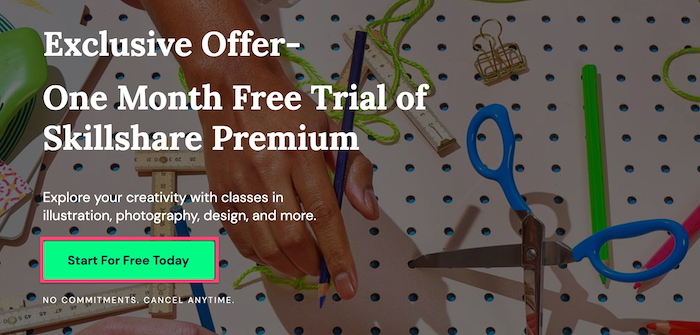
If you are interested in trying out the full library of classes then you can try out the free 1-month trial of the Skillshare Premium plan by clicking here.
There is also the Skillshare for Teams which offers two plans Starter and Enterprise. Allowing businesses and organizations to provide access to the platform to upskill their employees. The Starter plan starts at $99 per user a year.
- Starter for teams of (5-49) – $99 per user, billed annually
- Enterprise for teams of (20+) – a custom price, based on team size and needs
- Revive for teams of (50+) – a custom price, based on team size and needs
Skillshare for Teams Pricing
Keep in mind that Skillshare regularly changes its discount offers on its membership plans. As I write this today, the Exclusive Offer is for a One-Month Free Trial which is running until September 2021.
For more information about how much Skillshare costs, you can check out our pricing guide.
How To Open A Skillshare Account?
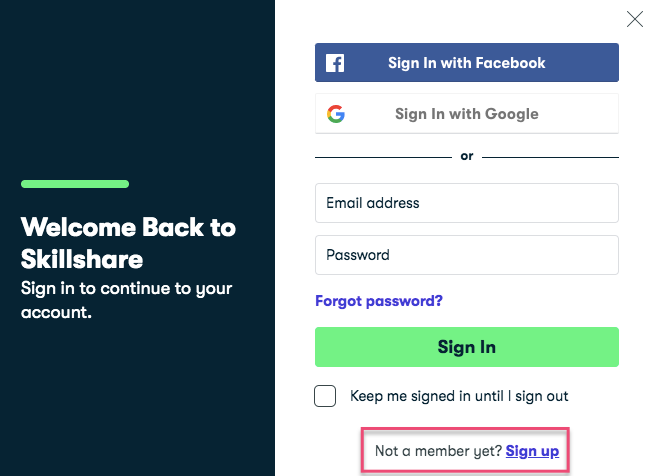
Open an account with Skillshare
Opening a Skillshare account is very easy to open, you only need to follow these steps:
- Visit Skillshare.com and click on ‘Sign in’ (top right corner)
- Click on ‘Sign up’ and decide what registration system you’d like to use: your own email, Facebook or your Google account
- Check your Skillshare confirmation email
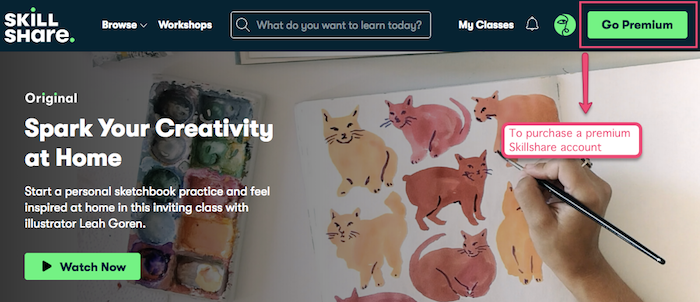
Go Premium Skillshare button
If you’d like to get a premium Skillshare account, you only need to click on the ‘Go Premium’ button (see image above) and decide what subscription model you’d like to purchase (annual or monthly).
What Categories can I find on Skillshare?
When you click on Browse in the top-left corner you will see that Skillshare has divided its creative classes into 3 main categories Create, Build and Thrive. Create has the most topics with a total of 10. Build has 4 topics and Thrive has 2.
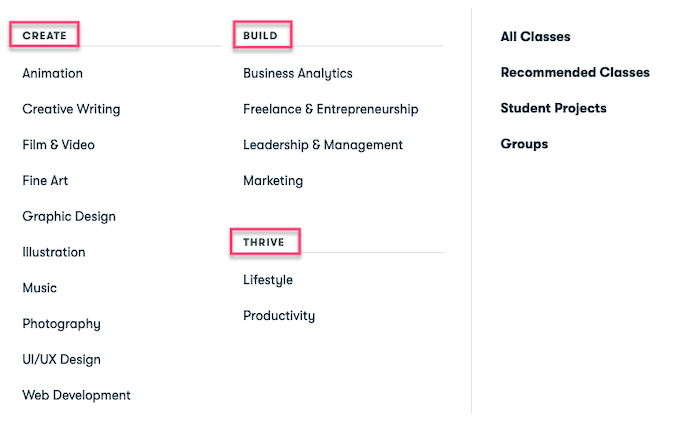 Create: Animation, Creative Writing, Film & Video, Fine Art, Graphic Design, Illustration, Music, Photography, UI/UX Design and Web Development.
- Build: Business Analytics, Freelance & Entrepreneurship, Leadership & Managment and Marketing.
- Thrive: Lifestyle and Productivity
Skillshare offers thousands of free classes in all the areas listed above, so it is an ideal way for you to try out its courses. Plus the free trial on the Skillshare Premium plan gives you full access to its library of classes and courses.
Examples Of Popular Skillshare Classes
Let’s checkout some of the most popular classes that users are enjoying at Skillshare, I have highlighted the top classes based on each category.
Animation

The Beginner’s Guide to After Effects – Taught by Jake Bartlett, a Motion Designer. This class is beginner-friendly and is for anyone interested in the world of motion design and is a comprehensive course covering everything you need to know to start creating animations in Adobe After Effects. It covers topics Panels & Workspaces, Resolution, Frame Rates, Combining Effects and much more. This class has been watched by over 12,000 students with 80% of students who said the course exceeded their expectations.
Blender 3D: Your First 3D Character – Taught by Remington Markham, a Motion and Animation Designer. This class is beginner-friendly, and you will design, model, and texture your own 3D character. This course will cover skills traditionally used in animation, motion design, video game design and some VFX. This class has been watched by over 12,500 students with 80% of positive feedback.
Creative Writing
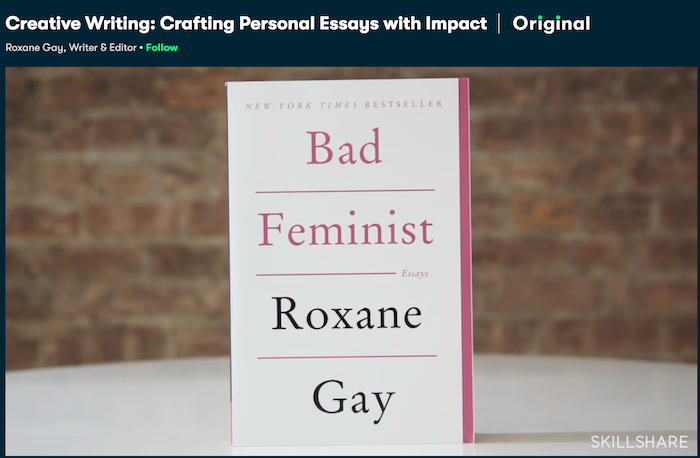
Creative Writing: Crafting Personal Essays with Impact – Taught by Roxane Gay, a Writer & Editor. This class is for all levels and is a one-hour masterclass that is an insightful and inspiring look at how to transform your story into a powerful personal essay. You will learn how to craft your personal voice and write to connect with people. This class has been enjoyed by close to 30,000 students with 70% of students who said this course exceeded their expectations.
Writing for Self-Discovery: 6 Journaling Prompts for Gratitude and Growth – Taught by Yasmine Cheyenne, a Writer, Speaker, Self-Healing Advocate. This class is for all levels and is made up of 12 video lessons. You will discover the power of journaling to cultivate confidence, mindfulness and growth by transforming your life in just 10 minutes a day. You’ll gain tools and frameworks through six meditative writing prompts. This class has been enjoyed by over 22,500 students with 80% of positive feedback.
Film & Video

Video Editing with Adobe Premiere Pro for Beginners – Taught by Jordy Vandeput, a Filmmaker and Youtuber. This class is beginner-friendly where you will learn how to take your creative ideas into amazing videos with Adobe Premiere Pro. You will learn a solid basis of Premiere Pro which allows you to perform basic edits, create custom graphics and texts, mix audio from speech, music, sound effects and much more. This class has been watched by over 71,000 students with over 60% of students saying the course exceeded their expectations.
YouTube Success: Build an Authentic Channel That’s Worth the Follow – Taught by Sorelle Amore, a Youtuber, Videographer and Photographer. This class is beginner-friendly, and you will learn tips and techniques for building up a devoted online following. You will learn how to find your topic niche and evolve it over time, prioritize authenticity over beauty, create a posting schedule and much more. This class has been watched by over 35,500 students with 60% of students say the course exceeded their expectations.
Fine Art
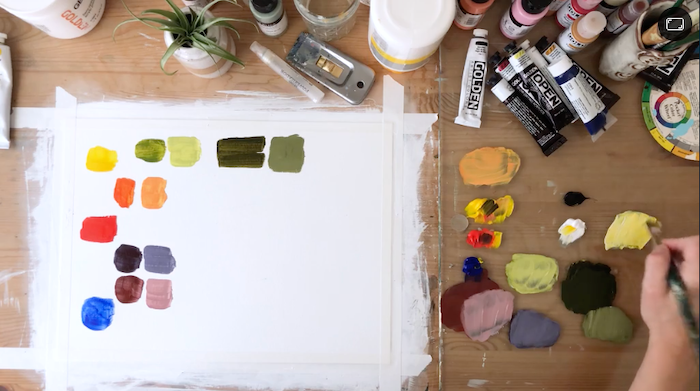
The Art of Science of Drawing – Taught by Brent Eviston, a Master Artist & Instructor. This class is beginner-friendly and designed for aspiring painters, graphic designers, illustrators and artists of all types. In this course you’ll learn how to use the pencil like an artist, how to draw any shape and how to analyze and draw any subject by simplifying it into a basic shapes. This class has been watched by over 56,000 students with over 60% of students say the course exceeded their expectations.
Acrylic Painting: Learn the Basics for Beginners – Taught by LaurieAnne Gonzalez, a Youtuber, Videographer and Photographer. This class is beginner-friendly and is broken down into 6 categories: Your Workspace, Color Mixing, Brushes, Texture (Acrylic Mediums), Dimension and Depth of Field. At the end of this class, you will have all the skills you need to begin painting. This class has been watched by over 21,000 students with 50% of students saying the course exceeded their expectations.
Graphic Design
Adobe Photoshop CC – Essentials Training Course – Taught by Daniel Scott, an Adobe Certified Trainer. This class is beginner-friendly and will teach you everything you need to know about getting started with Photoshop. By the end of this course you’ll have the skills to retouch photographs, distort, transform and manipulate images and much more. This class has been watched by over 63,000 students with over 70% of students say the course exceeded their expectations.
Graphic Design Basics: Core Principles for Visual Design – Taught by Ellen Lupton and Jennifer Cole Phillips, co-directors of the Graphic Design MFA program at MICA. This class is beginner-friendly and will give you a solid foundation and core principles of graphic design. You’ll learn and define 5 basic design principles, critique your work for effectiveness and balance and apply each core concept in future projects. This class has been watched by over 106,000 students with 80% of students sharing positive feedback.
Illustration

Digital Illustration: Learn to Use Procreate – Taught by Jarom Vogel, a Digital Illustrator. This class is beginner-friendly where you’ll learn how to use Procreate on your iPad to create digital artwork. The key lessons in this course include: setting up your first canvas, using select tool, brushes and erasers, creating and organizing your layers, adding color, textures, and effects. This class has been watched by over 115,000 students with over 50% of students say the course exceeded their expectations.
Intro to Procreate: Illustrating on the iPad (UPDATED) – Taught by Brooke Glaser, Illustrator and Children’s Designer. This class is beginner-friendly and will cover all the hidden tools and gestures you need to make creating digital illustrations easy and fun. By the time you finish this class, creating digital illustrations will feel intuitive and natural as drawing with pencil and paper. This class has been watched by over 67,000 students with 65% of students say the course exceeded their expectations.
Music

Learn How to Mix Music with Young Guru – Taught by Young Guru, Grammy-Nominated, Legendary Audio Engineer. This class is for intermediate level learner and the class is made up of four sections which include: Organizing a Mix, Determining Levels, Adding Effects and Tonal Balance. This class has been watched by over 23,000 students with 50% of students say the course exceeded their expectations.
SINGING MADE EASY (Level 1): Complete Vocal Training System – Taught by GB Voice Academy, Voice Coach. This class is beginner-friendly and this course will provide you with a wealth of information and tools to bring your singing voice to the next level. Some of what you will learn are expanding your vocal range, how to properly warm up your voice, how to utilize your breath efficiently, how to sing with more emotion and feeling and much more. This class has been watched by over 22,000 students with over 60% of students say the course exceeded their expectations.
Photography

Fundamentals of DSLR Photography – Taught by Justin Bridges, Fashion and Portrait Photographer. This class is beginner-friendly, an introductory photography class where you’ll learn how to manually balance shutter speed, aperture, and ISO to achieve perfect exposure. You’ll also learn Justin’s go-to camera settings, must-have gear and recommendations on a budget. This class has been watched by over 86,000 students with over 65% of students say the course exceeded their expectations.
iPhone Photography: How to Take Pro Photos On Your iPhone – Taught by Dale McManus, a Photographer and Videographer. This class is beginner-friendly and will teach you everything you need to be a professional digital photographer. In this course you’ll learn plenty of tips and tricks that you can use during every day shooting to make your photos stand out from the rest. Some of what you’ll learn is how to take stunning photos by utilizing shot composition, how to create depth in your photography, how to professionally edit photos in Lightroom and much more. This class has been watched by over 95,000 students with over 60% of students say the course exceeded their expectations.
UI/UX Design
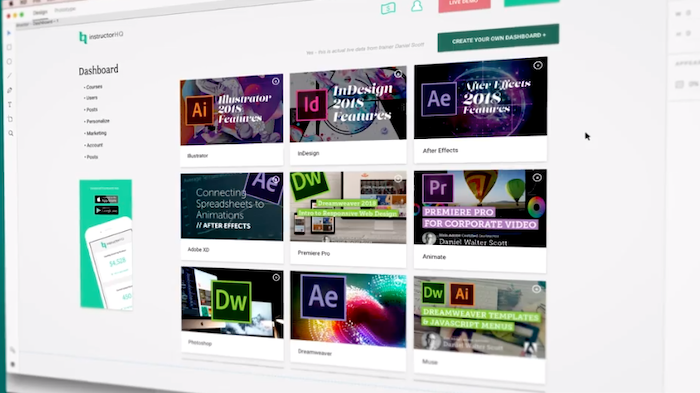
User Experience Design Essentials – Adobe XD UI UX Design – Taught by Daniel Scott, an Adober Certified Trainer. This class is beginner-friendly, and you’ll learn the difference between UX and UI Design. You’ll learn the essential tools necessary for creating excellent wireframes, including type, colours, icons and much more. This class has been watched by over 21,000 students with over 70% of students who said the course exceeded their expectations.
Intro to UX: Designing with a User-Centered Approach – Taught by Cinthya Mohr, Sr. UX Manager @ Google. This class is beginner-friendly and Cinthya will teach you to look at the user’s experience with your product, so you can create designs that serve your user effectively. By the end of the class, you’ll have the tools you need to design digital products that keep your users engaged and give you the results you’re looking for. This class has been watched by over 7,500 students with nearly 50% of learners saying it exceeded their expectations.
Web Development
Responsive Web Design Essentials – HTML5 CSS3 Bootstrap – Taught by Daniel Scott, an Adobe Certified Trainer. This class is beginner-friendly, and you’ll learn how to build professional responsive web sites, which look good on mobiles, tablets and desktop screens. You’ll build 4 sites together; a simple but elegant restaurant website, a bike repair website, a responsive portfolio website and a Bootstrap website. This class has been watched by over 6,500 students with close to 80% of students who said the course exceeded their expectations.
Coding for Beginners 1: You Can Code!– Taught by Applause Interactive, Digital Skills for Life. This class is beginner-friendly and has been designed as a generic, foundation level course, to introduce you to many of the common coding concepts that you’ll go on to use in whichever programming language you choose to learn next. This class has been watched by over 8,000 students with over 60% of learners saying it exceeded their expectations.
Business Analytics
Microsoft Excel Essentials: Level 1 Basics – Master Excel Step-By-Step – Learn Excel Fundamentals – Taught by Alan Jarvis, a master of Excel. This class is beginner-friendly, and you’ll learn the fundamentals of Excel. In this class you will concentrate on building a single complete project from scratch, using all the basic functions and give you a thorough understanding. This class has been watched by over 13,000 students with over 60% of students saying the course exceeded their expectations.
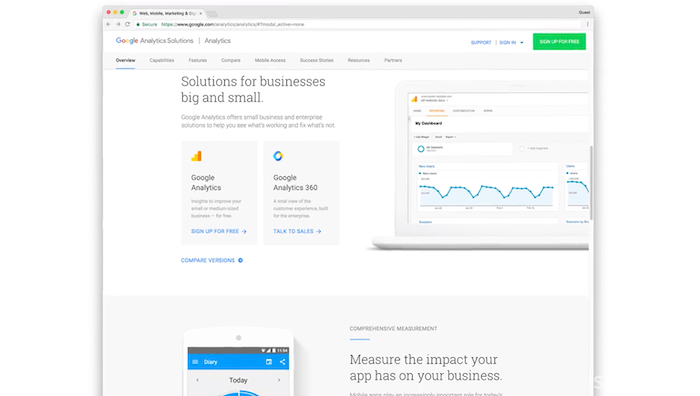
Fundamentals of Google Analytics– Taught by Jeff Sauer, Google Analytics Strategist. This class is beginner-friendly, and you will learn to get the most out of your website data with Google Analytics. You will learn about user demographics to creating the perfect dashboard and each lesson is packed with actionable tips and tricksto help you articulate your goals. This class has been watched by over 13,000 students with close to 50% of students saying the course exceeded their expectations.
Freelance & Entrepreneurship

Stock Market Fundamentals – Taught by Zac Hartley, an Entrepreneur and Day Trader. This class is beginner-friendly and perfect for someone interested in getting into day trading, swing trading or dividend investing and all the fundamentals are covered to getting started. This class has been watched by over 2,000 students with over 80% of students saying the course exceeded their expectations.
Make a Living as an Artist: Strategies for Crafting Your Creative Business – Taught by Brooke Glaser, Illustrator and Children’s Designer. The class is for all levels, and if you’re starting your first art business, then this class is for you. It is a fun, practical and comprehensive guide to making money as an artist. This class has been watched by over 21,000 students with over 75% of students saying the course exceeded their expectations.
Leadership & Management

Presentation Essentials: How to Share Ideas That Inspire Action – Taught by Simon Sinek, Optimist and Author. This class is for all levels, and you will learn Sinek’s secrets for giving a presentation that audiences love, remember, and repeat. You’ll learn how to identify your passions, speak with conviction and master public speaking and transform nerves into natural energy. This class has been watched by over 55,000 students with more than 50% of students saying the course exceeded their expectations.
Communication Skills: Become More Clear, Concise, & Confident – Taught by Alex Lyon, Communication Professor. The class is for all levels, and is here to help leaders develop clear, concise, and confident communication. The communication skills you’ll learn can be applied to one-on-one conversations, team meetings, and presentations. This class has been watched by over 6,500 students with more than 50% of students saying the course exceeded their expectations.
Marketing

Social Media Marketing: Top Tips for Growing Your Followers & Going Viral – Taught by Cat Coquillete, Artist, Entrepreneur and Educator. This class is beginner-friendly and someone wanting to learn strategies for using social media to grow follows and to cultivate a strong brand. The focus will be on social media platforms: Instagram, Facebook, Twitter, and Pinterest. This class has been watched by over 48,000 students with close to 50% of students saying the course exceeded their expectations.
Growing Your Creative Business Through Instagram – Taught by Cat Coquillete, Artist, Entrepreneur and Educator. The class is for all levels and for any creatives (artists, designers, illustrators, photographers, content creators) who are looking to grow their brand successfully on Instagram. You’ll learn strategies for driving sales, tips for photographing your work, content and caption brainstorming ideas, advice for growing followers and much more. This class has been watched by over 13,000 students with more than 60% of students saying the course exceeded their expectations.
Lifestyle

Learn Anything With Flashcards – The Ultimate Guide to Anki – Taught by Ali Abdaal, a Doctor and YouTuber. This class is for all levels and for someone looking for the right tools and techniques for learning. This class provides and extensive walkthrough of the flashcard app Anki, a tool which has made studying more effective, more efficient and less stressful. You will come away from this class with helpful tips and advice. This class has been watched by over 15,500 students with more than 70% of students saying the course exceeded their expectations.
Style Your Space: Creative Tips and Techniques for Interior Design – Taught by Emily Henderson, Stylist, Author and Host. This class is beginner-friendly and for anyone looking for practical ways to create a space that’s uniquely yours. In this class Emily shows 20+ examples of her designs and shares tips on finding your interior style, how to mix and match your favorite styles, implement style trends and choose pieces you’ll love for a lifetime. This class has been watched by over 35,500 students with close to 50% of students saying the course exceeded their expectations.
Productivity
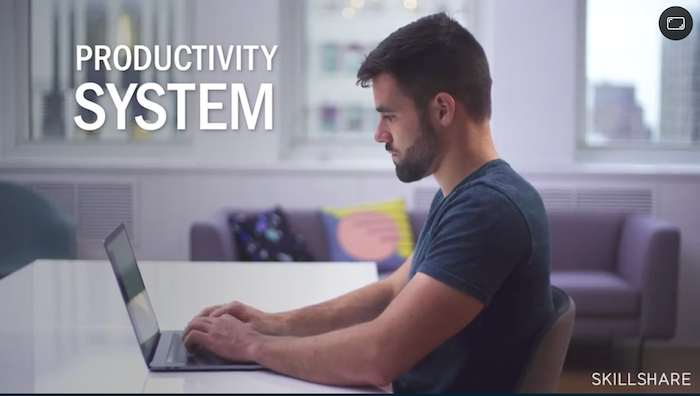
Productivity Masterclass: Create a Custom System that Works– Taught by Thomas Frank, YouTuber, Author, Entrepreneur. This class is for all levels and will help you transform your personal and professional life by creating a simple, customized productivity system. The key lessons you will take away from this class are task management essentials, how to take (and keep) notes, email tips and tricks and more. This class has been watched by over 93,000 students with more than 50% of students saying the course exceeded their expectations.
Real Productivity: How to Build Habits That Last – Taught by Thomas Frank, YouTuber, Author, Entrepreneur. This class is for all levels and will help you build habits to build yourself up for success and keep yourself on track. You’ll learn to set reasonable and realistic goals, how to handle failure without giving up, a better understanding of habit formation and much more. This class has been watched by over 53,500 students with over 50% of students saying the course exceeded their expectations.
Skillshare Teachers
Skillshare has over 8,000+ teachers within its community. If you are looking to teach online and trying to decide on your class topic then Skillshare offers up-to-date teaching resources and teachers tips videos (see image below). You can also join a Skillshare Teachers group to ask questions, share tips, and you can email teach@skillshare.com for any specific questions.
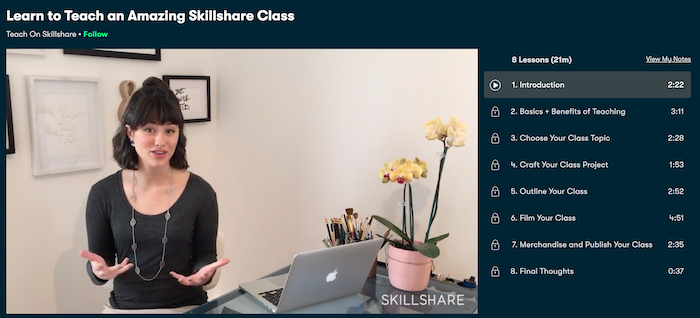
As well as all the resources and tips that Skillshare offers for new teachers it also highlights success stories of teachers on its blog to inspire you to build a following, engage with learners and earn a passive income.
Top Skillshare Teachers
Hayden Aube: An illustrator, designer and teacher at Skillshare. Hayden offers a variety of classes from Character Design to Illustration. His classes are short and to the point and the focus is on delivering the most important information that’s going to make the biggest impact on your work. Some of Hayden’s most popular classes are Adobe Illustrator: Design with Gradients, Teach Yourself to Draw Anything: A Step-by-Step Process and Vector Illustration: Playing with Texture.
> Check out Hayden Aubes’s Skillshare classes here
Mel Armstrong: An illustrator, Pattern Addict and teacher at Skillshare. Mel is obsessed with creating beautiful things, from craft to illustration. Her classes focus on learning pattern design as well as digital illustration. Some of Mel’s most popular classes are Illustrating in Procreate: Draw a fox!, 10 Photoshop Tips for Surface Designers and Surface Pattern Design Fundamentals.
> Check out Mel Armstrong’s Skillshare classes here
Sean Dalton: A travel and lifestyle photographer and teacher at Skillshare. Sean strives to capture the true essence of a scene with his camera. His classes relate to his travel and lifestyle photography background, but his focus is constantly expanding as he continues to grow as a photographer. Some of Sean’s most popular classes are Photography Essentials: Understanding the Basics, Adobe Lightroom: Finding Your Unique Editing Style and Dark & Moody Food Photography for Instagram Success: Visual Storytelling with Emotional Food Photos.
7 tips To Find The Perfect Skillshare Class
Like most of the other elearning platforms, Skillshare has a review system that you can check to find out what previous students think about a certain course. But these aren’t the only ways you can find the right course for you, let me highlight some tips on how you can find the right class for you.
Filter out the classes
If you buy on sites like Amazon or eBay you are probably used to the filters to narrow your searches down. Skillshare’s interface comes with filters you can use to find the right course for you.
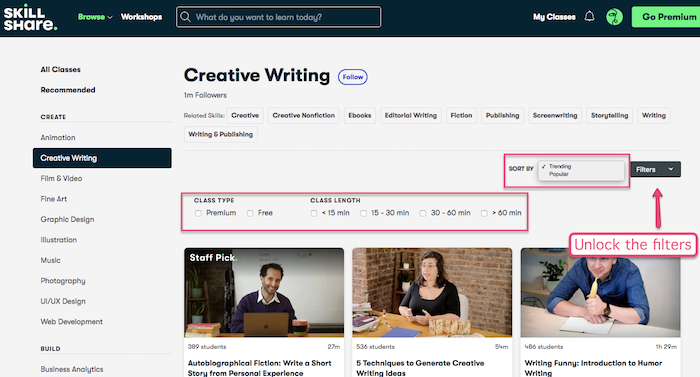
Skillshare filter view
Once you’ve selected a category (topic) you can then filter the classes out by free vs premium and select the desired course duration (in minutes). There is also the possibility to order the classes by popularity or trend.
Sadly, its filters don’t have as many options as the ones you can find in other elearning platforms such as Coursera or Udemy, but they can be useful too.
About this class
In the course landing page, you can find the ‘About this class’, a section that will detail who the course is aimed at, what you will learn, the level of the class (from beginner to advanced) and the skills that you’ll be able to acquire after completion.
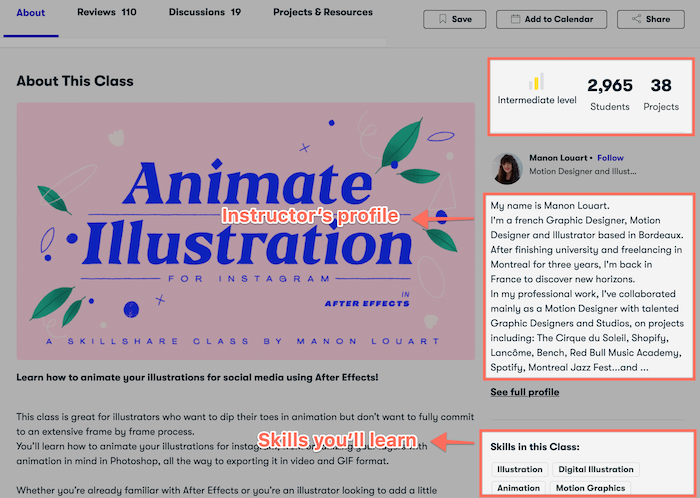
Skillshare about this class
There is also a short blurb about the instructor, normally it details their experience, passion and why they teach this subject.
A good place to start is checking that the skills taught in the course are what you are looking to learn and that the level of the course matches your experience.
Available projects
Since Skillshare classes are project-based, you can have a sneak peek of the projects that the instructor will use to support her or his teaching throughout the lessons.
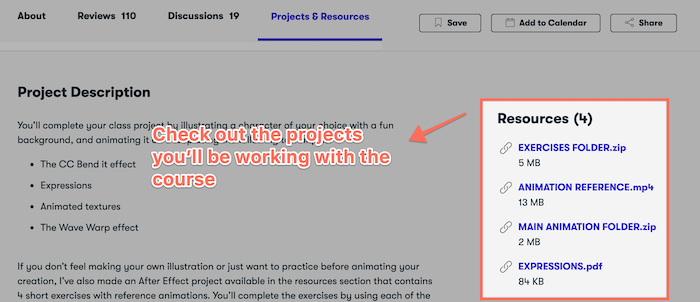
Skillshare sneak peek of the course projects
As you can see in the image above, the course resources can be accessed even before starting the course. I’d recommend doing so as they will give you a pretty clear idea of what you’ll be practising and learning.
Read reviews at Skillshare
Another great tip to find the course of your dreams is to be checking what past students have to say about it.
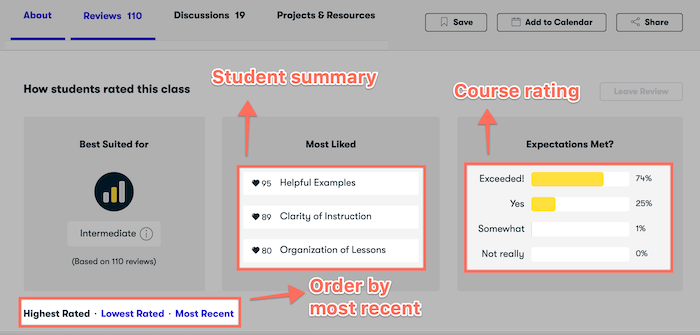
Skillshare reviews and rating
Its review system offers a breakdown of what students thought of the course, you can then click on one of the grades and read the reviews for it (e.g. only ‘Exceeded!’ rating reviews).
You can also go ahead and read some of the reviews from other users, but be aware that Skillshare sorts them by default from best to worse. you can always sort them by ‘Most Recent’ to read a more balanced pool of users’ feedback.
I also checked the ‘Most Liked’ section too, this section provides information about the different aspects that students valued the most. For example, helpful examples, the instructor was clear or how organized the classes are.
Find out more about the instructor
At Skillshare.com, every teacher has a page where they explain who they are, their professional experience and what their teaching goals are. Going through this page can be useful to get a vibe of each teacher and see if you like their approach to education.
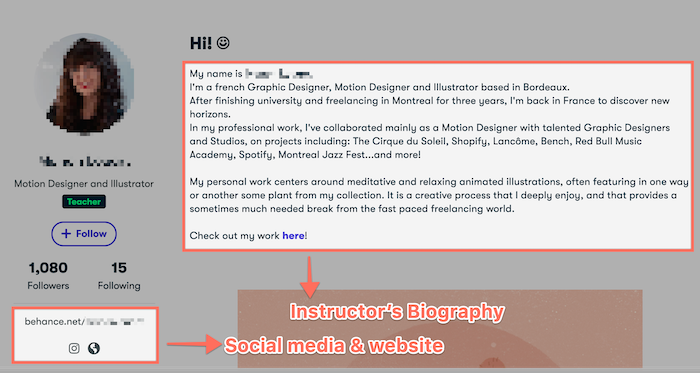
Skillshare instructor profile
However you are not limited to the information that you can read on their instructor landing page, as you can see in the image above, they normally have references to either their website or their social media accounts. Check them out to gather more information on your potential teacher – but please don’t be a creepy stalker 🙂
Try It for free
If you don’t have a Premium Skillshare account, you can always try out the 1-month free trial that will give you access to the full library of classes.
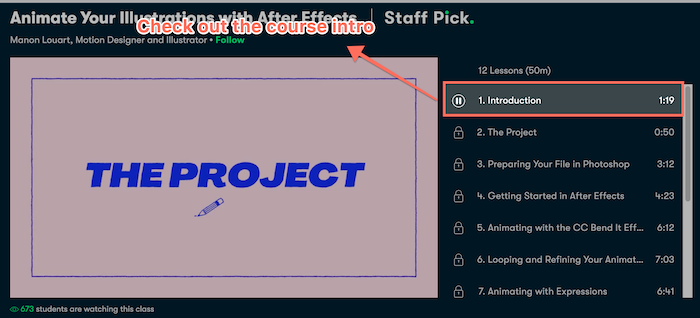
Skillshare course intro video
But of course, if a premium account is not for you, you can always cancel before the 1-month ends. Another way to get a feel for the course is to watch the course introduction (see image above) to find out a bit more. These videos are available for everyone.
Skillshare mobile app
You can access Skillshare from your tablet or phone thanks to the Skillshare app. With the premium membership, you can learn on the go even when you are offline. All you need to do is download the classes beforehand, and then you can learn from anywhere. As you progress in different classes, this will all be synced with all your devices, be it your computer, tablet or phone.
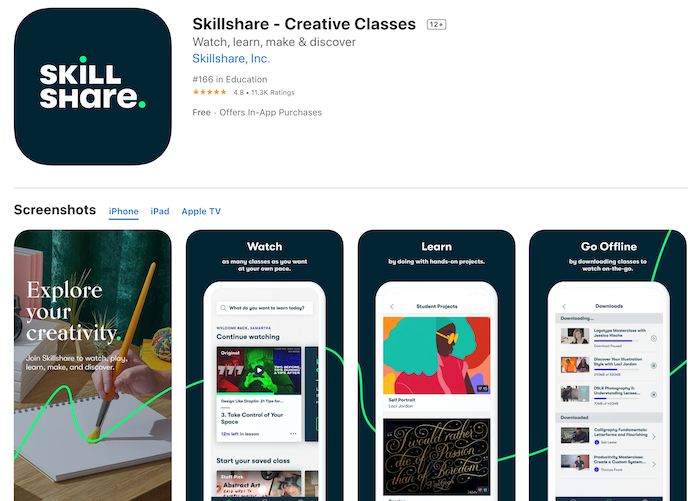
So if you have a busy schedule, or a long commute, then learning with the Skillshare app maybe the answer for you. The Skillshare app is available for IOS (4.8 rating) and Android (4.5 rating).
| Criteria | Comment |
|---|---|
| Ease of use | Signing up to Skillshare is really straightforward; you only need an email and a password. It’s also possible to register using Facebook or Google. You will also have the option to try out the 1-month free trial for the Premium membership. If you don’t want to continue with the Premium account you are able to cancel before the 1-month ends and not pay anything. Using Skillshare’s interface is also straightforward, there is enough information about the classes and the backend is intuitive. It could have a more detailed knowledge base though. |
| Convenience | Skillshare is an online learning community to master real-world skills with thousands of classes (courses). Skillshare offers a completely unrestricted free trial for 1 month, but there are also about 2,000 free classes. You can watch the classes online on its website or Android and iOS app. Classes are available offline if you are a paying user. |
| Available platforms | Besides its website, you can use their mobile apps (Android and Apple) to follow a class. Users like Skillshare apps as their rating at the app stores is higher than 4.5 (out of 5). |
| Official certifications: | Skillshare is not accredited with any educational institution (e.g. universities) and you will not receive a certificate when you complete a course. The available classes are meant (mainly) for creatives that want to improve a skill or learn new ones and don’t need official accreditation. |
| Categories | Skillshare offers over 35,000+ online classes. The classes are offered in four main categories: Creative & Design, Business, Technology and Lifestyle. If you are looking for a wider range of courses, then Udemy has courses on every topic you could imagine. |
| Free courses | About 10% of the Skillshare library is offered for free meaning that more than 2,000 classes can be accessed at no cost. Free users can also access the Skillshare community to follow classes. In my experience, the free classes are normally basic classes. Skillshare seems to save the ‘best’ classes for the paid users – fair enough. |
| Content quality | Every class has short lessons and hands-on projects for you to work on. You will then share your project in the class and receive feedback from Skillshare’s community. Some complaints are that the classes and the instructors lack quality control as pretty much anyone can post their own Skillshare course. |
| Languages | Skillshare accepts classes in all languages, but their community is primarily English speaking. Currently, (English) subtitles are available only on the classes that are ‘Skillshare Original’ or ‘Staff Pick’. |
| Instructors | As well as offering course subscriptions it also allows you to sign up as a teacher and produce your own classes. Skillshare classes are taught by creators, entrepreneurs and professionals from all over the world. Skillshare teachers are responsible for every aspect of their course, from designing it to uploading videos and materials. They are then paid a royalty based on the number of minutes of your classes that Skillshare users watch. |
| Course requirements | There aren’t many specific requirements a course must meet other than ‘it must be educational’, ‘good sound quality’, ‘include a presentation’, ‘well-organized content’ or ‘high-resolution video’. Classes must be, at least, 10-minutes long though. One positive thing is that all classes must include a project the students will be able to use to learn. |
| Course structure | Skillshare online classes consist of a video window that plays the course content which is divided into small bite-size classes. Some of the classes can vary from minutes to hours. You will also have the information about the instructor’s profile, links to additional information and a project (or projects) to follow the course. The course program and structure are well detailed within the course page, so you’ll know what to expect from each class. |
| Quizzes & tests | Some Skillshare classes include quizzes in their content, but this isn’t a requirement. |
| Payments & refunds | Skillshare works on a subscription model. You pay a fixed fee every month (or year) to have unlimited access to its library. Skillshare works out $8.25 (€8 or £7) per month if you for 1 year up-front, or $19 (€16 or £14.50) per month if you prefer to pay monthly. There are also plans available for companies, they start at $99 a year per user (minimum of 3 students). You have a 7-day refund policy for annual plans. Use a credit card or PayPal to pay for your subscription. For a more detailed review on Skillshare costs and pricing plan. |
| Support | You can reach out to Skillshare via email at help@skillshare.com. At times they can be slow to answer. They have some support materials but they don’t answer all the questions you may have about the platform, they aren’t super detailed either. |
| Overall rating | Skillshare offers such a wide variety of creative classes that you can learn at your own pace. Sadly, they don’t offer courses on every topic, other platforms like Udemy have courses about pretty much everything. If you are looking for an accredited certification it would be best to explore Coursera or edX. |
Will Skillshare Help Me With My Career?
Whereas Skillshare won’t get you a formal promotion as it doesn’t have accredited certificates, it’s very possible that it helps improve your professional skills so you can work confidently.
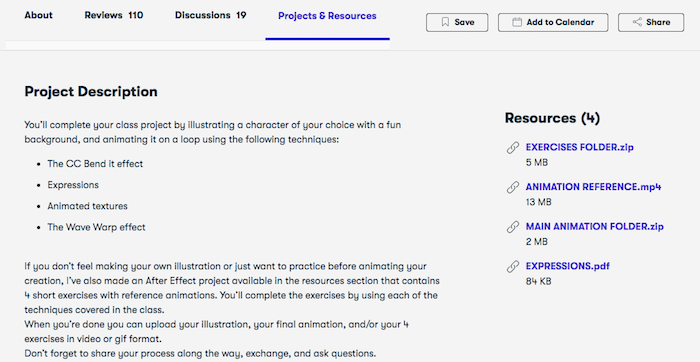
All Skillshare classes are project-based
I would say that Skillshare is ideal if you are a freelancer (or part of a creative team) and you don’t care too much about earning certificates and developing your CV. Skillshare is more about teaching you the knowledge you can apply to your work.
There is also an engaged community of students at Skillshare, this can be a great way to get in touch with other professionals from your field.
Is Skillshare Legit?
Sure, Skillshare is an elearning platform that has been operating since 2010, which means that it’s older than most of its competitors. They have their headquarters in New York and companies such as Vice, Stapels or Virgin TV use them for their employees’ development.
Skillshare Premium free trial
Its website is SSL secured and the payments can be done using a credit card or PayPal, you’ll have a 7-day refund policy for annual subscriptions. On top of that, you’ll be able to trial the platform and its classes for some time completely free.
Publish a course at Skillshare
There aren’t any formal requirements to publish a course at Skillshare, you won’t have to be a university lecturer or a super famous designer or artist – although that helps.
As a Skillshare instructor, you’ll be in charge of designing your course, producing the videos and materials, uploading the resources to Skillshare and keeping in touch with your students.
There are two ways in which Skillshare teachers are paid:
- You would get paid $10 for every new student you bring to Skillshare
- For each viewed minute of your classes, Skillshare will pay you a royalty.
Payments to instructors are made via PayPal, sadly, there isn’t any other way to get paid with Skillshare.
Please be aware that the speed at which students watch your classes has an impact on your revenue. For example, if they watch 20 minutes at 2x, you’ll be paid for 10 minutes, and if they watch 20 minutes at 0.5x you’ll be paid for 40 minutes.
There are guidelines for instructors when creating classes, but they are mainly common-sense recommendations:
- Create engaging and educational content
- Sound and video should be good quality
- You must have an introduction/presentation video
- Classes need to be project-based
- No self-promotion outside the intro and outro of the classes
- Max upload 1 class a week
- Some topics aren’t allowed: passive income, other educational platforms (e.g. Udemy), reselling products or medical content
- Minimum of 10 minutes per course
Last Thoughts: Is Skillshare Worth It?
After this in-depth Skillshare review, I hope you have a clearer understanding of how this popular elearning platform works and whether it is right for you. Let me add a couple of things you should take into account;
It’s very affordable and there are thousands of classes geared towards creative professionals and entrepreneurs. The course community is normally engaged, so interacting with other students can be a fun way to learn. They also offer a 1-month free plan if you just want to test the waters.
As mentioned earlier, if you are looking for any kind of official recognition of your learnings (e.g. a certificate), you’ll have to look elsewhere (e.g. Coursera or edX). Even if they have a lot of online courses available, they are normally focused on design, marketing and entrepreneurship – you may not be able to find the course you need.

Alternatives



Udemy: Udemy is possibly the most popular elearning platform in the world, it has more than 150,000 courses and it’s available in several languages. They cover a wide range of topics, from programming to icing cakes, so if you can’t find the course you like in Skillshare, check out Udemy.
Coursera: With over 50 million students and more than 4,000 courses created by universities and companies is a big fish in the elearning world. The main perk of Coursera is that you can earn accredited certificates, something Skillshare is unable to offer.
edX: More than 24 students have trusted on this platform. With more than 2,800 courses from universities like Harvard or Berkeley, and official recognition (certificates) it’s a solid alternative for many.
Please, leave a comment below if you have any questions and I’ll do my best to help you out.


